Reading Tetro
This chapter teaches a different skill: reading someone else's code. Writing teaches you what the language can say; reading a program bigger than any you have written teaches you what the language looks like at a larger scale. Tetro is the largest example for the 8x8 RGB LED matrix in the Glimmer repository: seven pieces that rotate, a board that stores colour, line clears that flash before they collapse, a piece preview on the LCD and a delayed restart after game over.
Tetro is three files, about 900 lines together. tetro.glim holds the declarations. tetro-rules.glim, brought in with part, holds the cards and blocks. tetro-lib.asm, brought in with import, holds the board engine: collision, locking, line clearing, and the board draw. That order matches the questions a larger Glimmer game answers: the declarations say what exists, the blocks say what happens, and the engine says how the heavy work gets done.
For hands-on reading, the three files can be copied from examples/ in the Glimmer repository into a working directory and built through the entry file (glimmer build tetro.glim on Appendix D's command line). Keeping all three open makes the boundaries visible. Every generated excerpt in this chapter comes from the tetro.main.asm that build writes, containing the complete game.
Three files, one program
The reading begins at the top of tetro.glim:
program Tetro

platform tec1g-mon3
display matrix8x8

part "tetro-rules.glim"
import "tetro-lib.asm"
The part file is more Glimmer source sharing the program's namespace: its cards and blocks compile as if they were written right here, and diagnostics still point at the right file when something goes wrong. The import file is plain Z80 assembly: its @ labels become program-wide names the blocks can call, and everything else in it stays private to the module.
The facts on the board
The state declarations provide the clearest starting point in an unfamiliar program because they record most of its design.
state PlayerX        : byte
state PlayerY        : byte
state CurPieceIndex  : byte
state CurRotation    : byte
state NextPieceIndex : byte
state Score          : word
state LinesCleared   : byte
state ClearMask      : byte         ; rows mid-flash (white); gravity pauses
state Armed          : byte         ; game-over gate open: restart allowed
state BoardRows      : byte[8]      ; occupancy bitmap, MSB-left
state BoardRed       : byte[8]      ; colour planes
state BoardGreen     : byte[8]
state BoardBlue      : byte[8]
The falling piece occupies four cells of state: where it is (PlayerX, PlayerY), which of the seven pieces it is (CurPieceIndex), and which of four rotations it shows (CurRotation). NextPieceIndex is the preview. ClearMask and Armed provide flow control for the line-clear flash and delayed restart.
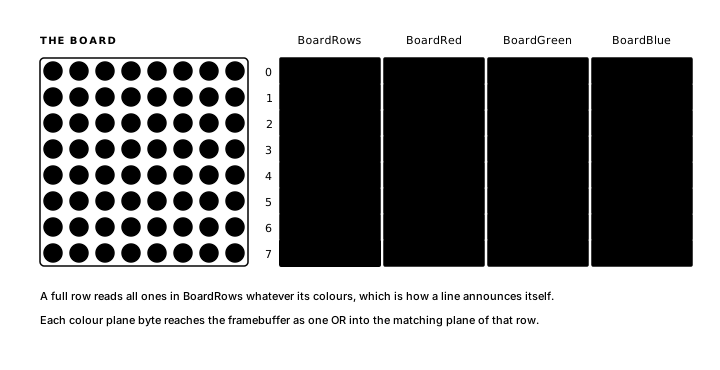
The board is four byte[8] arrays, one bit per cell of the 8x8 matrix, eight rows, MSB-left. BoardRows records occupancy (the one question collision asks), and the three colour planes store the colour of each settled cell. This matches the framebuffer: Framebuffer stores each row as red, green, and blue bitmask bytes, so a settled board row lands on screen as one or of plane byte into framebuffer byte. A full row announces itself in the separate BoardRows occupancy byte, which reads $FF regardless of the row's colours.
Three timers define the game's schedule:
timer Gravity   : byte = 32  -> GravityFire   ; writable: difficulty curve
timer ClearHold : byte = 0   -> ClearTick once  ; armed by a line clear
timer GOverGate : word = 0   -> GateOpenP once  ; armed on game over
Gravity is an oscillator with a writable period: every 32 frames, one GravityFire, and a compute block further down halves that period as the score climbs. The two once timers start at 0 by design: a one-shot at 0 is inactive, and it fires only after some block writes a count into it. ClearHold times the line-clear flash, GOverGate times the restart gate, and each gets armed by exactly the block that needs it.
Seven lines define the control scheme:
bind key KEY_4  held period 10 -> MoveLeftP
bind key KEY_6  held period 10 -> MoveRightP
bind key KEY_2  held period 3  -> SoftDropP
bind key KEY_5  rising -> RotateP
bind key KEY_AD rising -> RotateP
bind key KEY_0  rising -> PauseP
bind key any    rising -> AnyKeyP
Horizontal movement repeats every 10 frames held, soft drop about three times as fast, and rotation is rising only: one press, one quarter turn, from either of two keys feeding the same pulse. bind key any serves the splash screen and the restart, and later in the chapter you will see why the restart needs a guard in front of it.
Seven pieces, declared
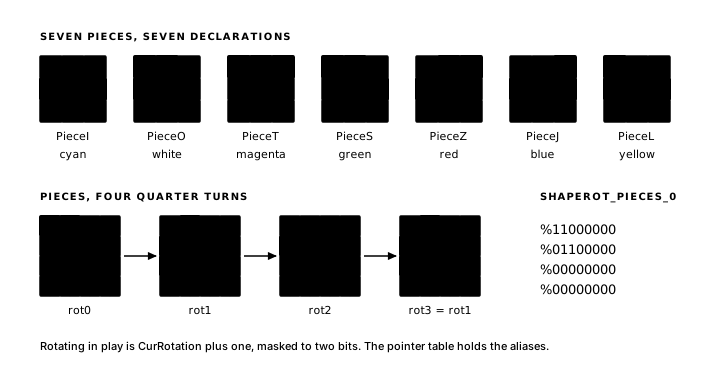
The earlier shapes had one bitmap each. A tetromino has up to four, one per quarter turn, and the rotational form of shape declares them as rot0..rot3 groups:
shape PieceS color green
  rot0 "XX."
       ".XX"
  rot1 ".X"
       "XX"
       "X."
  rot2 "..."
       "XX."
       ".XX"
  rot3 = rot1
end
Two shorthands keep the declarations the size of the pieces themselves. A rotation can alias an earlier one: the S piece's fourth rotation is its second, so rot3 = rot1. And rotations beyond those declared cycle: the I piece declares two and gets rot2 and rot3 as repeats, while the O piece declares one and shows it in all four positions. Rotating in play is CurRotation + 1, masked to two bits; the cycling lives in the generated tables, so the rule that rotates works the same for every piece.
In many projects in this family of games, a data file contains a few hundred lines of hand-maintained bitmap tables with pointer tables over them, where one slip of the editor becomes a piece that draws wrong or collides wrong. Tetro has seven declarations that remain readable as pictures. The compiler generates the tables examined next.
Declaration order does the numbering here too: PieceI first through PieceL seventh, each shape taking a ShapeId_<Name> equate from 0 to 6, and that same order runs through every table below and through the preview letters in text PieceNames "IOTSZJL".
The tables the shapes became
In tetro.main.asm, the section ; --- rotational shape resources --- holds each distinct rotation as four bitmap rows, MSB-left and padded to four rows. The S piece:
ShapeRot_PieceS_0:
        .db     %11000000
        .db     %01100000
        .db     %00000000
        .db     %00000000
ShapeRot_PieceS_1:
        .db     %01000000
        .db     %11000000
        .db     %10000000
        .db     %00000000
ShapeRot_PieceS_2:
        .db     %00000000
        .db     %11000000
        .db     %01100000
        .db     %00000000
Compared with "XX.", the first bitmap puts bit 7 at column 0, so the two pixels sit at the top left, ready to shift right by PlayerX at draw time. The three bitmaps represent the piece's three distinct rotations; the fourth comes from the pointer table:
ShapeRotPtrTable:
        .dw     ShapeRot_PieceI_0, ShapeRot_PieceI_1, ShapeRot_PieceI_0, ShapeRot_PieceI_1
        .dw     ShapeRot_PieceO_0, ShapeRot_PieceO_0, ShapeRot_PieceO_0, ShapeRot_PieceO_0
        .dw     ShapeRot_PieceT_0, ShapeRot_PieceT_1, ShapeRot_PieceT_2, ShapeRot_PieceT_3
        .dw     ShapeRot_PieceS_0, ShapeRot_PieceS_1, ShapeRot_PieceS_2, ShapeRot_PieceS_1
        .dw     ShapeRot_PieceZ_0, ShapeRot_PieceZ_1, ShapeRot_PieceZ_2, ShapeRot_PieceZ_1
        .dw     ShapeRot_PieceJ_0, ShapeRot_PieceJ_1, ShapeRot_PieceJ_2, ShapeRot_PieceJ_3
        .dw     ShapeRot_PieceL_0, ShapeRot_PieceL_1, ShapeRot_PieceL_2, ShapeRot_PieceL_3
One row per piece, four entries per row, and both shorthands are sitting in plain sight as repeated labels: the I row alternates its two bitmaps, the O row repeats one four times, and the S row's last entry is ShapeRot_PieceS_1, your rot3 = rot1 alias, compiled. Beside this table sit ShapeRotRightTbl, one byte per rotation holding the rightmost occupied column (the X bound the collision probe checks first), then ShapeRotColorTbl, one colour byte per piece, and the ShapeId_PieceI .equ 0 through ShapeId_PieceL .equ 6 identity equates.
Every table indexes by id*4 + rotation. The engine routine that consumes it, from tetro-lib.asm:
; Recompute the piece pointer, right bound, and colour bits from the
; program's CurPieceIndex and CurRotation cells. Call after either
; changes.
.routine clobbers A,C,DE,HL,carry,zero,sign,parity,halfCarry
@SetCurPiece:
        ld      a,(CurPieceIndex)
        add     a,a
        add     a,a                  ; index*4
        ld      c,a
        ld      a,(CurRotation)
        and     %00000011
        add     a,c                  ; table index
From that index the routine fetches the right bound, the bitmap pointer (doubling the index, because the pointer table holds words), and the colour byte, all into the module's private scratch. This is the interface between the two files: the shape declarations in tetro.glim emit the tables, the imported module addresses them by name, and the two sides stay compatible because both agree on id*4 + rotation.
The imported engine
tetro-lib.asm opens with data that belongs to the module alone:
; The four board planes, for the collapse loop.
BoardPlaneTbl:
        .dw     BoardRows, BoardRed, BoardGreen, BoardBlue

; Module scratch.
CurPiecePtr:
        .dw     0
CurPieceRight:
        .db     0
CurColorBits:
        .db     0
ShiftCount:
        .db     0
These labels carry no @, so they stay private to the file. Blocks reach the engine only through the routines it publishes, and those routines cover the board work: SetCurPiece you have met; CheckCollAt probes a placement; LockPiece blits the piece into all four planes; FullRowsMask reports full rows as a bitmask; ClearFullRows collapses them and counts; ScoreForClears turns a count into a score delta through a private ClearScoreTbl; SpawnPiece promotes the preview, rolls a new one, and probes the spawn point; InitGame resets a round; DrawBoardFb rebuilds the framebuffer from the planes and overlays the falling piece.
Everything on the declaration side of the line (the shape tables, the timers, the key bindings, the change tracking, the card gating) is common runtime plumbing and data generated by the language. The module contains Tetro-specific board algebra. Shared board operations could later move into a library; here, game-specific code remains in a file the author controls.
Moving, rotating, and falling all ask the same question (does the piece fit there?), and one routine performs the test for all three:
; Test a candidate placement at D=x, E=y against bounds and the board.
; Carry set means blocked. BC, DE, HL preserved.
.routine in DE out carry,zero clobbers A,sign,parity,halfCarry
@CheckCollAt:
Inside is a four-row loop: shift each piece row right by the candidate X, check the floor, and and the shifted mask against the occupancy plane. Irreducible game logic, called by three rules at three different moments, with a register contract the assembler checks at every call site.
That division shows most sharply in the board render, back in tetro-rules.glim:
render DrawBoard
    on BoardRows, PlayerX, PlayerY, CurRotation, CurPieceIndex, ClearMask
begin
    call DrawBoardFb
end
Six facts in the header, one call in the body. Everything that can change the picture is declared where you can read it; the 100-line rebuild (planes into framebuffer, piece overlaid in its colour, flash rows forced white) is in the engine, where its loops have room to sprawl.
Gravity, lock, flash
The game's central rule is:
effect ApplyGravity
    on GravityFire, SoftDropP
    updates PlayerY, BoardRows, BoardRed, BoardGreen, BoardBlue
    updates ClearMask, ClearHold, CurrentCard
    updates PlayerX, CurPieceIndex, CurRotation, NextPieceIndex
begin
    ld a,(ClearMask)     ; rows mid-flash: gravity holds
    or a
    jp nz,_done
    ld a,(PlayerX)
    ld d,a
    ld a,(PlayerY)
    inc a
    ld e,a
    call CheckCollAt
    jr c,_lock
    ld a,e               ; free: descend
    ld (PlayerY),a
    jp _done
_lock:
    call LockPiece
    call Snd_Lock
    call FullRowsMask    ; A = bitmask of full rows
    or a
    jr z,_spawn
    ld (ClearMask),a     ; flash first; FinishClear collapses on the tick
    ld a,200
    ld (PlayerY),a       ; park the locked piece off the draw overlay
    ld a,24              ; arm the line-clear hold timer
    ld (ClearHold),a
    call Snd_Clear
    jp _done
_spawn:
    call SpawnPiece
    jr nc,_done          ; spawn blocked: the stack reached the top
    ; conditional navigation: goto is unconditional once a block runs,
    ; so a conditional transition writes CurrentCard directly (declared
    ; in updates). Enter blocks are edge-triggered, so the every-run
    ; change mark cannot re-run them.
    ld a,Card.GameOver
    ld (CurrentCard),a
_done:
end
The timer's GravityFire and the player's SoftDropP both mean "try to descend", so they run the same rule. CheckCollAt tests the square below; free means fall, blocked means the piece has landed. Landing runs the engine in sequence: lock the piece into the planes, sound the cue, scan for full rows.
The block writes the row bitmask into ClearMask and stops there. ClearMask sits in DrawBoard's on list, so the next render repaints, and DrawBoardFb forces every masked row white on all three planes. And the first line of this very block reads ClearMask too: while any row is mid-flash, gravity returns at once, so the board holds still and lit. Parking PlayerY at 200 keeps the locked piece's overlay off the picture, because row 200 sits outside every drawn row, so only the planes show.
ld a,24 into ClearHold arms it: at zero a one-shot is inactive, a written count ticks down once per frame, and arrival fires ClearTick. The block triggered by the tick, FinishClear, completes what the lock started: it zeroes ClearMask, calls ClearFullRows to collapse the flashed rows, adds the count to LinesCleared, converts it to points with ScoreForClears, adds those to Score, and calls SpawnPiece, with the same blocked-spawn branch into Card.GameOver as gravity's.
DifficultyCurve, a compute on Score with updates Gravity, writes 16 into the Gravity period cell once the score passes 2000: past that, pieces fall twice as fast.
Two ways out of a card
Tetro leaves its cards in two ways, and you can see which form fits where. When the exit is unconditional, the header says so: SplashExit is four lines, on AnyKeyP and goto Playing, header only, so any key on the splash screen starts the game. The Pause and Unpause effects do the same on PauseP, flipping between Playing and Paused.
When the exit has a condition, the block writes CurrentCard itself, and the blocked spawn is the one place in this game where that pattern is necessary. You saw it twice above: SpawnPiece returns carry set when the spawn placement is blocked, and both ApplyGravity and FinishClear respond with ld a,Card.GameOver into CurrentCard behind a branch.
The GameOver card uses the delayed restart gate already seen in Skyfall. GameOverShow clears Armed and loads 384 into GOverGate; OpenGate later writes PRESS ANY KEY and sets Armed. Until then, Restart ignores AnyKeyP, preventing the player's final movement press from becoming an immediate restart.
Words on the LCD
The messages are text resources:
text MsgSplash "TETRO (PRESS A KEY)"
text MsgRun    "TETRO RUNNING"
text MsgPause  "TETRO PAUSED"
text MsgOver   "TETRO GAME OVER"
text MsgPress  "PRESS ANY KEY"
text MsgNext   "NEXT: "
text PieceNames "IOTSZJL"          ; LCD preview letters, ShapeId order
and each card's enter block opens with lcd_row on row 1: SplashShow writes MsgSplash, StartRound writes MsgRun, PausedShow writes MsgPause, GameOverShow writes MsgOver. The LCD names the mode the 8x8 matrix is in, and because the writes live in enter blocks, each one happens exactly once per visit.
Row 2 shows the preview:
render ShowPreview
    on NextPieceIndex
begin
    lcd_row MsgNext, LcdRow2
    ld hl,PieceNames
    ld a,(NextPieceIndex)
    ld e,a
    ld d,0
    add hl,de
    ld a,(hl)
    ld c,ApiCharToLcd
    rst $10
end
SpawnPiece rolls a new NextPieceIndex every spawn, the change triggers this render, and the render writes NEXT: plus one letter, PieceNames indexed by the piece id, the same 0..6 order as the ShapeId_ equates. The four sound declarations round out the feedback: Snd_Rotate on a successful turn, Snd_Lock on landing, Snd_Clear at the flash, Snd_Over at the end, each a generated wrapper the blocks call by name.
Card boundaries in the generated file
The four cards became Card .enum Splash, Playing, Paused, GameOver, and every block from tetro-rules.glim became a flat Glim_* routine, dispatched with its card's gate in front. Here is the logic dispatcher exactly where the Playing card's blocks end and the Paused card's begin:
        ld      a,(GlimActiveCard)
        cp      Card.Playing
        jr      nz,_skip_Pause
        ld      a,(Changed2)
        and     GlimDep_Pause__B2
        jr      z,_skip_Pause
        call    Glim_Pause
_skip_Pause:
        ld      a,(GlimActiveCard)
        cp      Card.Paused
        jr      nz,_skip_Unpause
        ld      a,(Changed2)
        and     GlimDep_Unpause__B2
        jr      z,_skip_Unpause
        call    Glim_Unpause
_skip_Unpause:
The cp Card.Playing changes to cp Card.Paused, marking the boundary. A card in the source is a gate on each of its blocks in the dispatcher. Enter blocks dispatch first, then every other block in source order, each behind a card test, thirteen entries in one readable column of test-and-call.
Further down, one .import "tetro-lib.asm" line places the complete engine outside every execution path, with its @ labels resolving program-wide.
Next, a different machine to draw with: the TMS9918 video display processor, where the program describes a scene and the chip keeps it on screen: The TMS9918 Profile.
Exercise
A completed row. What sequence follows when gravity locks a piece and FullRowsMask reports a completed row, from the first white flash through to the next piece?