State
In the last chapter you built Beacon, pressed GO, and watched one stored fact, a colour, become light on the 8x8 RGB LED matrix. A game also needs the player's position, object colours and progress such as a score. Choosing which values to store comes before writing the rules that change them.
This version of Beacon stores three facts (a position, a colour and a score). Together, their declarations use every part of the state syntax, along with the change tracking that goes with it. Near the end, a first-frame prediction made from the source can be checked against a running build.
Beacon, grown
The new Beacon steers along its row with keys 4 and 6, held for movement the way Mover was. GO still steps the colour, and every step now scores a point, shown on the TEC-1G's six-position seven-segment display. Position, colour and score are common forms of game state.
program Beacon

platform tec1g-mon3
display matrix8x8

state DotX   : byte = 3 changed
state Colour : byte = 1
state Score  : word

pulse Left
pulse Right
pulse Step

bind key KEY_4  held period 8 -> Left
bind key KEY_6  held period 8 -> Right
bind key KEY_GO rising -> Step

effect MoveLeft
    on Left
    updates DotX
begin
    ld a,(DotX)
    or a
    jr z,_stop      ; at the left edge: stay
    dec a
    ld (DotX),a
_stop:
end

effect MoveRight
    on Right
    updates DotX
begin
    ld a,(DotX)
    cp 7
    jr nc,_stop     ; at the right edge: stay
    inc a
    ld (DotX),a
_stop:
end

effect NextColour
    on Step
    updates Colour, Score
begin
    ld a,(Colour)
    inc a
    cp 8
    jr c,_store     ; 1 to 7 are the visible colours
    ld a,1
_store:
    ld (Colour),a
    ld hl,(Score)
    inc hl
    ld (Score),hl
end

render DrawBeacon
    on DotX, Colour
begin
    call FbClear
    ld a,(DotX)
    ld b,a          ; B = x
    ld c,3          ; C = y
    ld a,(Colour)
    call FbPlot
end

render ShowScore
    on Score
begin
    ld hl,(Score)
    call HudWriteU16
end
Spoken aloud, the headers remain straightforward. updates Colour, Score says NextColour changes two facts, so it declares both of them. on DotX, Colour means DrawBeacon depicts two facts, so a change to either one redraws. Commas separate names, in headers as everywhere in Glimmer.
HudWriteU16 is another routine from the profile library, a sibling of FbPlot: give it a value in HL and it writes five decimal digits after the display's fixed leading zero. One call is all we need today; the full display service comes later.
State declaration syntax
Three declarations, and between them they exercise every part of the syntax:
state DotX   : byte = 3 changed
state Colour : byte = 1
state Score  : word
The full shape is state Name : type = initial changed, and the last two parts are optional. The type is byte or word. The initial value defaults to 0, which provides the initial value for Score. The changed modifier marks the fact as already changed when the program starts, and DotX carries it.
The new type here is word. A word cell is 16 bits, and your code moves it with the Z80's native 16-bit instructions. The score lines in NextColour show the difference:
    ld hl,(Score)
    inc hl
    ld (Score),hl
The declaration reserved two bytes, and in the generated file that difference amounts to a single directive:
; --- state storage ---
DotX:             .db 3
Colour:           .db 1
Score:            .dw 0
One bit per fact
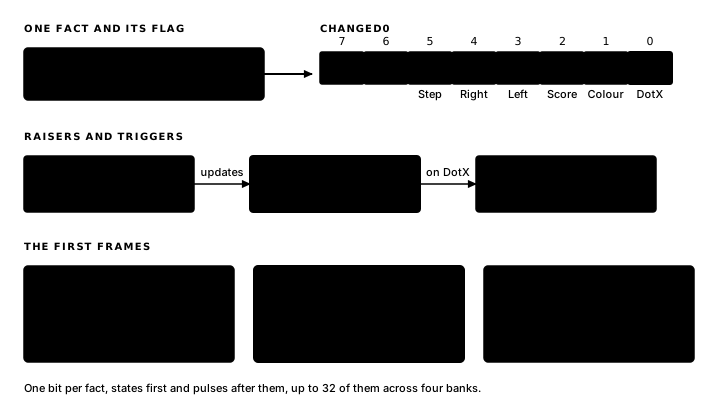
The generated bookkeeping now covers six facts: three states and three pulses, one bit each, in declaration order with states first:
; --- change flags ---
CHG_DOTX_BIT      .equ 0
CHG_COLOUR_BIT    .equ 1
CHG_SCORE_BIT     .equ 2
CHG_LEFT_BIT      .equ 3
CHG_RIGHT_BIT     .equ 4
CHG_STEP_BIT      .equ 5
CHG_DOTX          .equ %00000001
CHG_COLOUR        .equ %00000010
CHG_SCORE         .equ %00000100
CHG_LEFT          .equ %00001000
CHG_RIGHT         .equ %00010000
CHG_STEP          .equ %00100000

; --- block trigger masks ---
GlimDep_MoveLeft__B0 .equ CHG_LEFT
GlimDep_MoveRight__B0 .equ CHG_RIGHT
GlimDep_NextColour__B0 .equ CHG_STEP
GlimDep_DrawBeacon__B0 .equ CHG_DOTX + CHG_COLOUR
GlimDep_ShowScore__B0 .equ CHG_SCORE
Every fact receives one bit of Changed0, including pulses. A pulse is a fact that holds for one frame and uses the same change tracking as persistent state. DrawBeacon's mask shows what a two-fact trigger becomes: the sum of two bits. The dispatcher ANDs the changed byte against that mask, so any fact in the list sets the block running.
When DrawBeacon runs because you moved, its body still reads Colour and plots the current colour: a body always works from the facts as they are now, whichever bit triggered it. Flags select the blocks to run; values determine the result.
Handwritten code can keep the picture current by redrawing everything every frame or by maintaining a dirty flag for each fact. Glimmer generates the second form. You declare updates once in a block's header; the generated wrapper sets the bit, the dispatcher tests it and GlimEndFrame clears it.
One byte holds eight facts, and a program can declare up to 32 flag-carrying facts: they fill Changed0 through Changed3, eight bits a bank, states first and pulses after them. The dispatch masks carry the bank in their name (the __B0 suffix you can see above), and a block whose triggers span banks tests each one.
The first frame, predicted
The challenge is to predict the first frame before building, then compare that prediction with the running program. Changed0 starts with the sum of every changed modifier in the source:
Changed0: .db %00000001 ; flags dispatch testsOne bit: DotX's. DrawBeacon's mask includes that bit, so the beacon appears, and it appears with both its position and its colour correct, because the body reads both cells regardless of which bit triggered it. ShowScore's mask is CHG_SCORE, and that bit is clear, so the dispatcher skips ShowScore and the six-position seven-segment display stays dark.
The source explains why the dark display is expected: a render draws only on the frames when it runs, and ShowScore runs only when Score changes. The display therefore stays dark until the first press of GO, when updates Colour, Score raises both bits and the score lights up as 000001.
A dark display until the first point is a design choice, and you might decide to keep it. If you would rather have the score visible from the start, you already know the word that does it:
state Score : word changedWith that edit, frame one runs both renders, and the display shows 000000 before you have pressed anything. That is the rule for changed: apply it to each fact whose initial value must be rendered before the first input.
Building both versions confirms the prediction. With plain Score, a breakpoint inside ShowScore first stops at the press of GO; with Score changed, it stops on frame one, before any key press. In either version, each later score change reaches the breakpoint again.
The next chapter examines pulses and each way a key can fire one: Pulses and Bindings.
Exercise
The opening display. Why does the dot appear before the first key press while the seven-segment score remains dark? Which single change to the Score declaration makes 000000 appear at startup?