Routines, Parts and Imports
Canvas ended the previous chapter in one file, with a debugger that can answer questions about it. The next feature exposes the cost of keeping everything there: an eraser. With two painting rules to name, PaintPixel becomes StampPixel on a Stamp pulse, and the picture it writes becomes Paint. AD sits free beside GO on the keypad, and the rule is StampPixel's mirror image: find the cursor's row byte, build the column's mask, and clear the bit instead of setting it. Written out, the eraser opens with eight instructions copied from StampPixel before the first differing line. A later change must update both copies, which creates an avoidable source of inconsistency.
The eraser breaks the tally too. Marks counts stamps laid: stamp ten pixels, erase all ten, and the count reads ten over a blank board. The number worth showing is how many pixels the picture holds right now, and that count can be derived from Paint itself: set bits across eight bytes. That is loop work with a register interface: library code in everything but name.
Glimmer has three tools for organising a growing program. A routine holds shared code once, where every block can call it. A part moves declarations into a second .glim file that belongs to the same program. An import brings in a file of hand-written assembly. All three preserve program behaviour while changing the source organisation.
Canvas, in three files
Here is the destination. The reasons for each boundary follow. The entry file after the split is complete:
program Canvas

platform tec1g-mon3
display matrix8x8

import "paint-lib.asm"

type Point
    x : byte
    y : byte
end

state Cursor : Point changed
state Paint  : byte[8] changed

pulse Left
pulse Right
pulse Up
pulse Down
pulse Stamp
pulse Erase

bind key KEY_4 held period 8 -> Left
bind key KEY_6 held period 8 -> Right
bind key KEY_2 held period 8 -> Up
bind key KEY_8 held period 8 -> Down
bind key KEY_GO rising -> Stamp
bind key KEY_AD rising -> Erase

routine CursorSpot
begin
    ld a,(Cursor + offset(Point, x))
    call MxMask
    ld b,a          ; B = the column's pixel mask
    ld a,(Cursor + offset(Point, y))
    ld e,a
    ld d,0
    ld hl,Paint
    add hl,de       ; HL -> the cursor's row byte
end

part "canvas-rules.glim"
Forty-two lines, and the blocks have moved out. The facts, the moments and the bindings all stay (joined by Erase, fired by AD) and framing them are the three new declarations: import near the top, routine in the middle, part at the end. The blocks now live in canvas-rules.glim; the drawing and counting loops live in paint-lib.asm, hand-written assembly. You still build the entry file, and the build gathers all three:
glimmer build canvas.glimWrote canvas.main.asm (register contracts checked by AZM)
Wrote canvas.main.d8.json (47 block segments attributed to .glim source)The split moved source between files, and the running program is the one you had before. The rest of the chapter takes the three declarations in turn, smallest first.
One copy of the arithmetic
A routine declares a callable helper. Its header carries a name and nothing else, and a call from a block is what runs it, the way FbPlot runs. Inside, the body follows the block rules you already know: real Z80, _ labels local to the body, and a fall-through ending with Glimmer appending the final ret. A conditional early return like ret c is legal anywhere inside.
CursorSpot in the entry file removes the eraser's duplicated arithmetic. MxMask turns x into the column's mask, y indexes Paint, and the routine returns with B holding the mask and HL aimed at the cursor's row byte. With the arithmetic in one place, both painting rules shrink to their verbs:
effect StampPixel
    on Stamp
    updates Paint
begin
    call CursorSpot
    ld a,(hl)
    or b            ; fold the pixel into the row
    ld (hl),a
end

effect ErasePixel
    on Erase
    updates Paint
begin
    call CursorSpot
    ld a,b
    cpl             ; every column except the cursor's
    and (hl)
    ld (hl),a
end
Stamp ORs the mask in; erase complements it and ANDs, clearing exactly one bit. The dozen shared instructions are in one place now, and the next change to the addressing reaches both rules from one edit.
Contract checking covers this routine from an inferred contract. The assembler infers the registers used by the body: B and HL come out carrying the mask and the row address, A, DE and the flags are clobbered, and C passes through untouched. Every call CursorSpot is then proven against that inferred contract at strict strength, the same proof each call to FbPlot gets against its declared one. If a future edit makes CursorSpot use C, a caller that relies on C fails the build with a diagnostic.
The rules file
part "canvas-rules.glim"A part names another .glim file whose declarations join the program, sharing one namespace with the entry file. The entry file, the one you hand to glimmer build, declares program, platform and display, and each part contributes cells, resources, bindings and blocks to that same program. You split a program into parts by topic, the way you would split a chapter into sections, while all declarations remain in one namespace.
Cursor is declared in canvas.glim and written by MoveLeft in canvas-rules.glim; CursorSpot is declared in the entry file and called from the part; the part's effects trigger on pulses the entry file bound. One rule keeps the entry point unambiguous: a part may declare no program, platform, display or nested parts. The entry file defines identity and hardware, and paths for parts and imports resolve relative to it, whatever directory you build from.
A part opens straight into declarations; ours starts with a comment and goes into blocks. MoveLeft arrives unchanged:
; Canvas's rules and pictures - a part of canvas.glim.

effect MoveLeft
    on Left
    updates Cursor
begin
    ld a,(Cursor + offset(Point, x))
    or a
    jr z,_stop      ; at the left edge: stay
    dec a
    ld (Cursor + offset(Point, x)),a
_stop:
end
The other three movement effects follow, then the painting rules and the renders: six effects and two renders in a file with one kind of content.
Diagnostics retain the originating file. If the label in MoveDown's guard is misspelled as jr nc,_sotp, the next build reports:
canvas-rules.glim:45:5: [AZMN_SYMBOL] error: Unresolved symbol "_sotp" in rel8 jr nc fixup.The file name in the diagnostic points directly to line 45 of the part, where the typo sits. Breakpoints use the same map, so a breakpoint inside StampPixel stops Debug80 in canvas-rules.glim.
A hand-written module
Two jobs remain, each a plain loop over the picture. Drawing the board is a copy loop, eight row masks into the framebuffer's green plane, currently written inside DrawCanvas. Counting lit pixels is a bit-counting loop over the same eight bytes. Both are plain assembly with a register interface at the top and a ret at the bottom: library code that still sits in the main file. import gives it that file. Here is paint-lib.asm, complete:
; Canvas's support module - hand-written AZM, brought into the
; program with import. @ marks the exported API; the plain
; CountByte label stays private to this module.

; Copy the painting into the framebuffer: each Paint byte is a
; row mask, dropped into the row's green plane.
.routine clobbers A,B,DE,HL,carry,zero,sign,parity,halfCarry
@ShowPaint:
        ld      hl,Paint
        ld      de,Framebuffer + 1   ; green plane of row 0
        ld      b,8
_row:
        ld      a,(hl)
        ld      (de),a
        inc     hl
        inc     de
        inc     de
        inc     de
        inc     de                   ; next row: 4 bytes per row
        djnz    _row
        ret

; Count the painting's lit pixels. Returns the count in HL.
.routine out HL clobbers A,B,C,DE,carry,zero,sign,parity,halfCarry
@CountLit:
        ld      hl,Paint
        ld      c,0
        ld      d,8
_byte:
        ld      a,(hl)
        call    CountByte
        inc     hl
        dec     d
        jr      nz,_byte
        ld      l,c
        ld      h,0
        ret

; Fold A's set bits into C. Private: callable only from this file.
.routine in A,C out C clobbers A,B,carry,zero,sign,parity,halfCarry
CountByte:
        ld      b,8
_bit:
        rlca
        jr      nc,_skip
        inc     c
_skip:
        djnz    _bit
        ret
You have been reading this dialect all book: the module is written in the same assembly you find in every generated file. Each callable opens with a .routine contract line like the one on FbPlot, with one difference that matters: a module's author declares the contract, and the assembler checks every caller against that declaration. The module reads the program's names directly, too: Paint and Framebuffer are the same labels your blocks use.
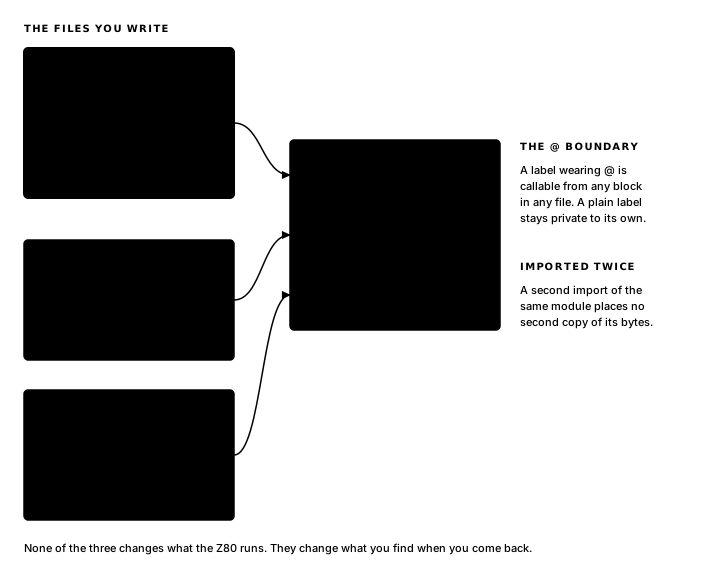
An import is the border between Glimmer and hand-written assembly, and @ marks the doors. A label wearing @ is exported: ShowPaint and CountLit are the module's public API, callable from any block in any file, and references omit the @. CountByte wears a plain label, so it stays private, callable anywhere inside paint-lib.asm. The _row, _byte and _bit labels are local to their routines, exactly as in your blocks. A call to the private CountByte from ShowCount tries to cross the module boundary, and the build refuses with the rule spelled out:
canvas-rules.glim:88:5: [AZMN_SYMBOL] error: symbol "CountByte" is private to paint-lib.asm; export it with @CountByte or keep the reference inside that fileThe two renders call the exported API:
render DrawCanvas
    on Cursor, Paint
begin
    call FbClear
    call ShowPaint
    ld a,(Cursor + offset(Point, x))
    ld b,a
    ld a,(Cursor + offset(Point, y))
    ld c,a
    ld a,COLOR_WHITE
    call FbPlot     ; the cursor on top
end

render ShowCount
    on Paint
begin
    call CountLit   ; HL = the count of lit pixels
    call HudWriteU16
end
DrawCanvas still draws the cursor and calls ShowPaint for the board. ShowCount replaces ShowMarks and removes the Marks cell with it, because the count is computed from the picture now, fresh on every redraw: CountLit returns it in HL, which is where HudWriteU16 expects its value. Stamp, and the count climbs; erase, and it falls; the display and the board always agree, because they draw from the same eight bytes.
The generated file
In canvas.main.asm, each of the three declarations has a generated form. The routine first:
; --- routine CursorSpot ---
.routine
CursorSpot:
    ld a,(Cursor + offset(Point, x))
    call MxMask
    ld b,a          ; B = the column's pixel mask
    ld a,(Cursor + offset(Point, y))
    ld e,a
    ld d,0
    ld hl,Paint
    add hl,de       ; HL -> the cursor's row byte
        ret
A .routine boundary, your body verbatim, and the appended ret closing the fall-through. The label is plain CursorSpot, exactly as declared, because your code calls it by name, while block labels wear the Glim_ prefix because only dispatchers call them. And the bare .routine line is where the assembler's inference attaches: it infers the contract from this body, then checks every call site against it.
Blocks from the part compile exactly like blocks from the entry file:
; --- logic block StampPixel ---
.routine
Glim_StampPixel:
    call CursorSpot
    ld a,(hl)
    or b            ; fold the pixel into the row
    ld (hl),a
        ld      a,(Raised0)          ; deliver to later phases this frame
        or      CHG_PAINT
        ld      (Raised0),a
        ret
Same wrapper, same change-flag raise, same boundary. The file a declaration came from survives in the debug map, where each body's lines are attributed to the corresponding .glim source; the assembly is one program.
The import lands past the frame machinery, after GlimEndFrame and before the profile library:
; --- imported AZM modules ---
; Import names resolve program-wide; bytes land here, outside
; every execution path. @ labels are the modules' public API.
        .import "paint-lib.asm"
.import places the module's bytes at the directive, so placement carries meaning, and Glimmer chooses the spot where the profile library already lives: a region reached only by the calls that name it. Your module sits beside FbPlot and MxMask in the memory map as library code.
The next chapter declares a title screen, playing screen and game-over screen as cards: Cards.
Exercise
Two kinds of source file. Why are Canvas reaction blocks placed in a Glimmer part, while the drawing and counting loops are brought in with import? What does @ mean on an imported assembly label?