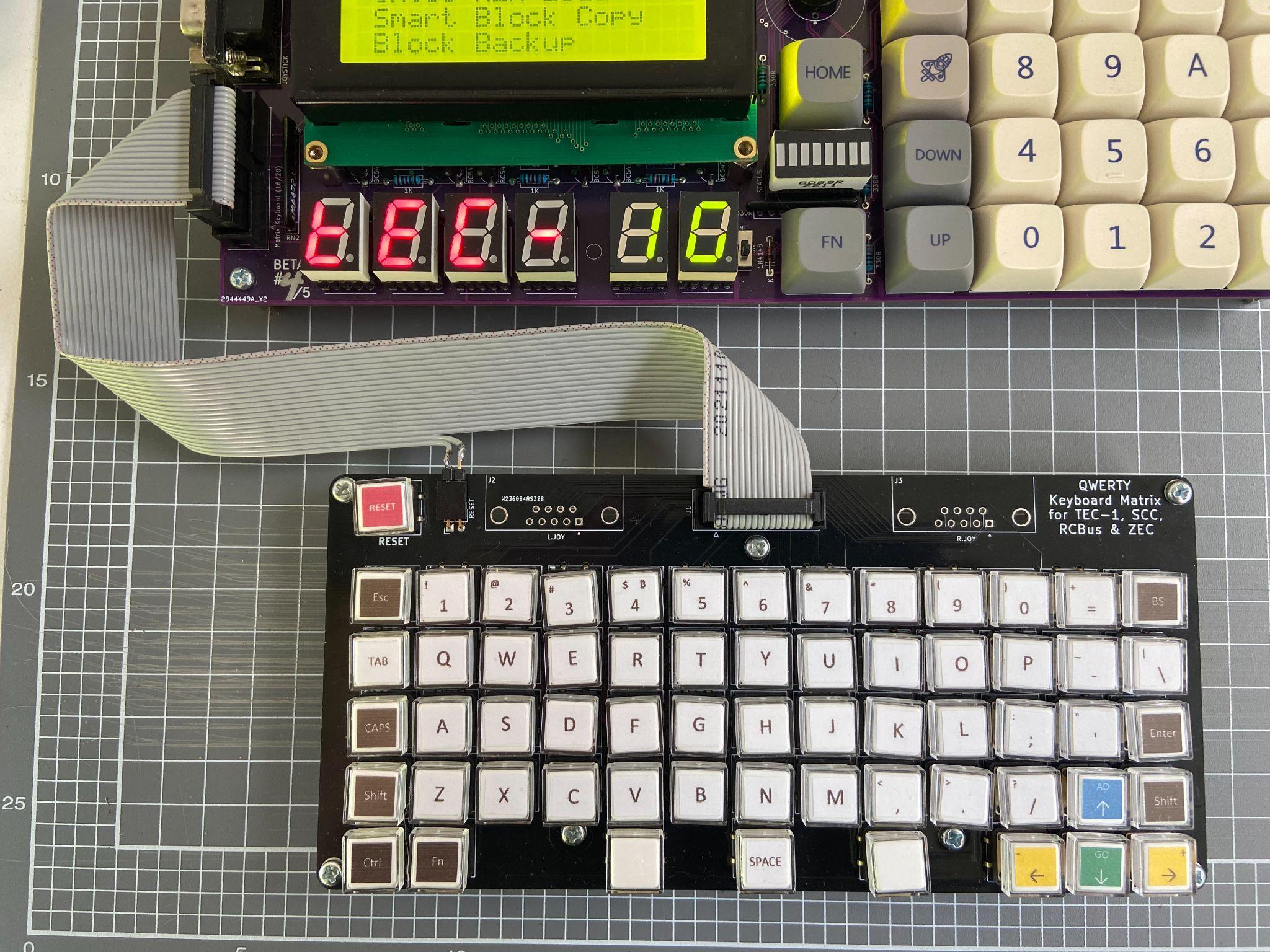
Matrix Keyboard
Mon3 will work with the TEC QWERTY or Mechanical Matrix Keyboard Add-on. The Keyboard is connected to the Keyboard Socket on the lower left of the PCB. How your Keyboard PCB is designed might affect which pins can be connected. Please view the TEC-1G Schematic for information on pin configuration.
To activate the Keyboard, The Matrix switch on the 3-DIP switch is to be turned on. This activates the Matrix Keyboard and disables the onboard Hex Keypad (except Reset). Mon3 only maps keys present on the TEC-1G to the Matrix Keyboard.
The Keyboard map to Hex Keypad is as follows: - AD - Esc - GO - Enter - Plus - Right Arrow - Minus - Left Arrow - 0-F, Fn - 0-F, Fn keys - Reset - Reset key if connected The full range of keys can be accessed and converted when developing programs via the matrixScan and matrixToASCII API routines.